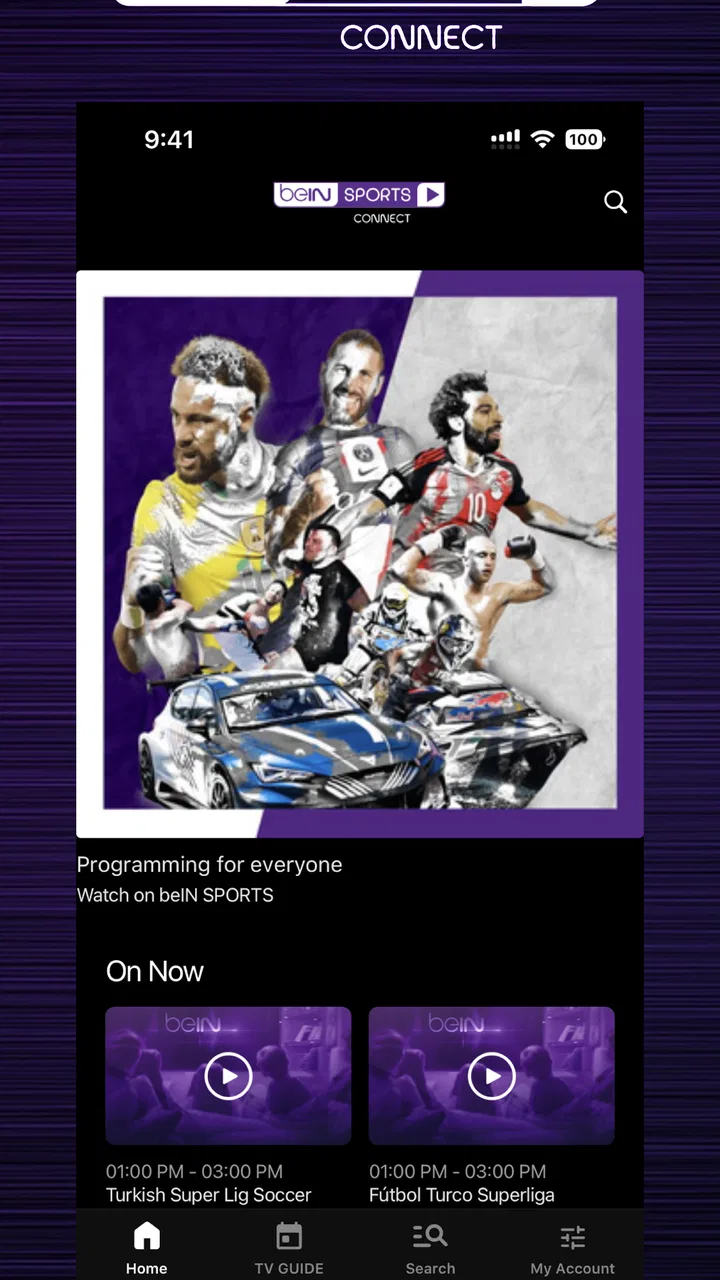
beIN SPORTS CONNECT
- 3.2
- Rating
- 1.00M
- Installs
- Free
- Price

 Analysis by App-foxy
Watching sport on a phone sounds simple until the connection becomes part of the experience. I spent time with beIN SPORTS CONNECT with that in mind, paying attention not only to the matches and sports coverage, but also to what happens when a signal is busy, mobile data is limited, or I need to move between home Wi-Fi and a cellular connection. The app is free to install, belongs to the Sports category, and comes from beIN MEDIA GROUP. Its purpose is clear: bring the network’s live and on-demand sports experience to a mobile screen rather than making me rely entirely on a television.
That focus makes it useful for a particular kind of viewer. If I already follow beIN SPORTS content and want access while away from the living room, this is a natural place to start. It is less convincing as a universal sports app for someone who wants every competition in one subscription or a lightweight score tracker that works equally well on a weak signal. The difference matters because streaming video is only as dependable as the route between the app, the service, and my device.
How the connection changes the viewing experience
I look at the connection as part of the viewing setup, not just a technical detail: a steady network can make mobile access feel effortless, while a handoff between Wi-Fi and cellular service can interrupt the match at the wrong moment. That is why I’d test the app in the places I actually watch before relying on it for an important event. The next section considers what that change means for everyday viewing.
You May Also Like

 Blood Strike: 2.5 Anniversary
Blood Strike’s Loadouts Turn Every Drop Into a Tactical Gamble
A close look at Blood Strike’s custom loadouts: how fast access to signature weapons reshapes its battle royale rhythm, rewards preparation, and narrows the gap between fights.

 Pandora - Music & Podcasts
Pandora’s Music Is Easy to Start, but Harder to Recover
Pandora’s strength is its low-effort path from a seed to a station. Its weak spot is how much confidence it asks you to place in connection, setup, and quiet recovery.

 8 Ball Pool
 Is Built on Rivalries, Rematches, and Routine
A close look at the rivalries, rematches, shared routines, and unanswered safety questions that turn a quick pool match into a persistent mobile community.

 Samsung Music
’s Quiet Strength Is Playing What You Already Own
Its reach comes less from spectacle than from dependable access to a personal library. That simplicity is both the app’s strongest retention engine and its ceiling.

 AccuWeather: Weather Radar
AccuWeather Review: A Quick, Clear Forecast for Everyday Decisions
For everyday plans, the best forecast is the one you can understand quickly. AccuWeather makes rain timing, radar, and local conditions easy to act on, with a few trade-offs.

 Hill Climb Racing
Why Hill Climb Racing Still Turns Crashes Into One More Run
A tiny car, a bumpy hill and one more upgrade: Hill Climb Racing keeps resurfacing because its simple chaos makes every near-miss feel personal.
More From Our News Desk



The best moments happen on a stable network
When the connection is strong, the app feels most valuable during events that I do not want to miss. A phone becomes a practical second screen at a kitchen table, in a hotel room, or during a short break when a television is unavailable. The convenience is not really about replacing a large display; it is about removing the need to be in one specific room at one specific time.
I found that the quality of the network affects my enjoyment more than the app’s simple interface. A reliable home connection lets me settle into a match without constantly thinking about the stream. A crowded public network creates a different experience, where waiting, interruptions, or changes in playback quality can become more noticeable than the action itself. That is a limitation of connected sports viewing in general, but it is especially important here because the app’s main value is live access.
There is also a psychological difference between watching a replay and following a live event. With a replay, I can pause, return later, or choose a better moment to watch. With live sport, a delay or interruption can spoil the result before the picture recovers. My practical advice is to test the app at home before depending on it for an important match. Open it during a less important event, move around the areas where you normally watch, and see whether your usual connection behaves consistently.
Switching networks is more important than it sounds
One of the less obvious parts of using a streaming sports app is the handoff between connections. I might begin watching over Wi-Fi, leave the house, and expect cellular service to take over without any thought. In reality, moving between networks can require patience. The stream may need to reconnect, the picture may pause, or I may have to return to the event rather than assuming playback will continue exactly where I left it.
I recommend treating a network change as a small restart point. Before leaving Wi-Fi, check what you are watching and be ready to reopen the event if necessary. This is not an exciting tip, but it prevents the common mistake of walking outside during a decisive moment and discovering that the stream has not followed the connection cleanly.
Why a phone is useful, but not always ideal
The mobile format works best when convenience matters more than screen size. I can keep up with a match while waiting somewhere, use headphones without taking over a room, or watch a short period when I have only a few minutes. The phone also makes the service more personal: I do not need to negotiate with other people about what is on television.
For a full-length event, however, a small display can feel restrictive. Details are harder to appreciate, and holding the device for a long time is less comfortable than sitting in front of a television. I would use the app as a companion to a larger screen when possible, not automatically as its replacement. That distinction is important for buyers who expect a mobile installation to deliver the same comfort as a dedicated home setup.
Everyday use away from home
A realistic example is a weekend when I am visiting relatives and a scheduled event begins while everyone else is using the television. Instead of searching for an unfamiliar website or trying to follow scattered updates, I can open the app and check whether the event is available through the service. If the building’s Wi-Fi is dependable, the phone gives me a private way to watch. If the signal is weak, the same plan may turn into a frustrating cycle of loading and reconnecting.
That scenario shows the app’s real strength: it gives an existing beIN viewer another viewing route. It does not magically solve access problems caused by location, network congestion, or the availability of a particular event. I would confirm the event inside the app before making travel plans around it, rather than assuming that being a sports app means every sport or competition will appear there.
When playback fails
Connected viewing needs a recovery routine. If a stream stops, my first step is to check whether the rest of the phone is online. Opening another ordinary page or service quickly tells me whether the issue is broader than the app. If everything else works, I close and reopen the event instead of repeatedly tapping the same playback control. That simple reset is often more useful than waiting indefinitely on a frozen screen.
If I have just moved between Wi-Fi and cellular service, I give the connection a moment to settle before trying several actions at once. Rapidly switching networks, locking the phone, and reopening the app can make it harder to tell what actually fixed the problem. A calmer sequence—pause, check the connection, reopen the event, then try again—makes live viewing less stressful.
There is a trade-off here. A general video platform may feel more familiar because its recovery behavior is predictable across many types of content. A broadcaster’s dedicated app, by contrast, is more directly tied to its own sports programming. I prefer the dedicated route when the event I want belongs to that network, but I would not choose it solely because I expect it to behave like a universal video player.
Planning for weak or expensive connections
Watching over cellular service requires more thought than watching at home. Video can consume a meaningful amount of data, and live sport encourages longer sessions because there is no natural stopping point. I try to decide in advance whether I am watching a few minutes or an entire event. That decision affects whether cellular viewing is sensible, especially when my allowance is limited.
A useful habit is to check the phone’s own data controls before leaving Wi-Fi. I can monitor how much the session is using, avoid background activity from unrelated apps, and choose a place with a stronger signal before the event starts. These steps are not special features of beIN SPORTS CONNECT; they are practical safeguards that make the app more usable in real life.
I also avoid assuming that a strong signal icon guarantees smooth video. A busy network can still struggle, and a public hotspot may be fast for browsing but inconsistent for continuous streaming. If the event matters, I would rather watch from a stable connection than gamble on a crowded venue. For casual viewing, a brief interruption may be acceptable; for a final or a match I have planned around, it can change the whole experience.
Who will get the most from it?
The strongest audience is an existing beIN SPORTS viewer who wants mobile access and is comfortable with an internet-dependent service. It suits people who travel between rooms, spend time away from home, or want a personal screen for sports without relying on a shared television. It is also a reasonable option for someone who prefers one broadcaster’s sports environment to a general-purpose video app.
The free installation lowers the barrier to trying it, but I would still pay attention to the viewing arrangements presented inside the app. In-app purchases range from forty-nine cents to seventy-nine dollars and ninety-nine cents per item, so the word “free” should not be read as a promise that every viewing option costs nothing. I would review the purchase screen carefully before confirming anything, particularly if I am only testing the service.
The Everyone age rating makes the app broadly approachable from an age-classification standpoint. That does not answer every household question about what a particular event contains, but it does make the application easier to consider for a mixed-age device. Parents should still use their own judgment about which sports content children watch and for how long.
Who should choose something else?
I would look elsewhere if my main need is instant scores, schedules, alerts, or low-data updates rather than video. A dedicated results app is usually a better fit for checking a score during work, commuting, or a poor-signal journey. It asks less of the connection and lets me return to the information quickly. beIN SPORTS CONNECT makes more sense when watching is the point, not merely knowing the outcome.
I would also hesitate if I want a single service covering every league and broadcaster. The app’s identity is tied to beIN MEDIA GROUP, so viewers should choose it for the sports access associated with that network, not because they expect it to replace every other sports subscription. Someone who follows several unrelated providers may prefer a broader platform, even if that means using a less focused interface.
Finally, people with unreliable internet should be realistic. A mobile sports app cannot remove dead zones, overloaded hotspots, or a restrictive data plan. If I regularly watch in places where connectivity is poor, a service built around dependable offline access would be more suitable—but I would not assume that capability here. In that situation, radio commentary, downloaded media from a service that explicitly supports it, or simple score updates may be less frustrating.
What the app’s maturity tells me
The application has been available since September 2016, and the current version is 10.004.2 with support for Android 8.0 and later. That gives it a long presence on mobile, while the version requirement is still relevant for anyone using an older handset. Before installing, I would check the phone’s operating system rather than assuming that any Android device can run it.
Its reach is substantial, with more than one million installs, but the average rating sits at 3.2 from roughly twenty-two thousand ratings and about three thousand three hundred written reviews. I read that combination as a reason to keep expectations measured. Many viewers clearly find value in having the network on mobile, yet the experience is not universally smooth enough to earn unqualified enthusiasm.
Ratings for streaming apps can reflect several things at once: playback, account access, event availability, device compatibility, and expectations about pricing. I would not use the average alone to reject the app, but I would treat it as a reminder to test the service on my own device and connection. The free download makes that trial more practical than committing immediately to an unfamiliar setup.
Small habits that improve the experience
I get better results when I prepare before the event rather than opening the app at the exact starting moment. I check the connection, make sure the phone has enough battery, and close activities that might compete for attention or bandwidth. This is particularly useful on cellular service, where a long session can be more demanding than a quick browse.
I also keep the phone still during important moments. Moving through a building can cause the device to cling to a weak network or switch connections at the worst possible time. If I know I will be watching while travelling, I choose a seat or location with the most consistent signal instead of focusing only on whether the phone shows coverage.
For shared viewing, I decide in advance whether the phone is the main screen or merely a backup. If several people want to watch, a larger display is more comfortable. If I am the only person interested, the app’s privacy and portability become genuine advantages. Thinking about that before the event prevents me from blaming the app for a mismatch between the device and the viewing situation.
My connectivity verdict
After using it with connectivity as the main test, I see beIN SPORTS CONNECT as a focused mobile doorway to beIN SPORTS content rather than a complete answer to every sports-watching need. Its best moments come when I already know the event I want, have a stable connection, and value the freedom to watch away from a television. In those conditions, the app is convenient and easy to justify, especially because the installation itself is free.
Its weaknesses appear when the network becomes uncertain or when I expect the flexibility of a general sports information tool. Live video is less forgiving than scores, and a phone is less comfortable than a television for long sessions. The purchase range also means I would read each offer carefully instead of assuming that installation settles the cost.
My recommendation is therefore specific: try it if you follow beIN SPORTS and want a connected viewing option for home, travel, or spare moments. Test it before relying on it for a major event, and keep a low-data alternative available when your signal is unpredictable. If you need broad multi-network coverage, instant results, or dependable viewing without an internet connection, another type of sports service will fit better. For the right viewer, though, beIN SPORTS CONNECT turns a phone into a useful extension of the network—provided the connection is treated as part of the setup, not an afterthought.
FAQs for beIN SPORTS CONNECT
01What is beIN SPORTS CONNECT, and what can I watch with it?
beIN SPORTS CONNECT is the streaming service associated with beIN SPORTS, offering live sports and on-demand content through supported Android, iOS, web, smart TV, and other compatible devices. The available coverage depends heavily on your country, subscription package, and broadcast rights. Before downloading, check the official service page for your region to confirm whether the leagues, tournaments, channels, highlights, and replays you want are included.
02Do I need a subscription to use beIN SPORTS CONNECT?
In most regions, a paid subscription or an eligible television-provider account is required to watch live matches and premium programming. Some content, such as selected clips, previews, or promotional material, may be accessible without a full subscription, but availability varies. Review the sign-up options, billing terms, trial conditions, and cancellation policy carefully, because packages and supported payment methods differ between countries.
03Is beIN SPORTS CONNECT available in my country?
beIN SPORTS CONNECT is not offered everywhere, and its content library is controlled by regional broadcasting agreements. Even where the app can be downloaded, certain matches or channels may be unavailable because of location restrictions. Confirm availability through the official beIN SPORTS website or your local app store before subscribing. Using a VPN or other location-changing method may violate the service’s terms and may prevent playback.
04Which devices and internet connections are supported?
The service generally supports recent Android and iOS smartphones and tablets, browsers, and selected connected-TV platforms, although exact compatibility can change by market. A stable broadband or mobile-data connection is important for live streaming, especially at higher video quality. If your connection is weak, you may experience buffering or reduced resolution. Check the current technical requirements before installing the app on an older device.
05Can I watch beIN SPORTS CONNECT while traveling or on multiple devices?
Travel access and simultaneous streaming depend on your subscription, account rules, and the country where you are located. Some programs may be restricted outside the registration region because of licensing agreements. Multiple-device support is usually available, but the number of registered or simultaneously active devices may be limited. Sign in only on trusted devices, review the account settings, and check the provider’s latest rules before traveling.
Pros
- Live access to major sports competitions and exclusive broadcasts.
- Supports multiple devices
- including smartphones
- tablets
- and smart TVs.
- Useful replay and catch-up options for missed matches.
- Personalized alerts help you follow favorite teams and events.
- High-quality video streaming with adjustable playback settings.
Cons
- Availability of channels and events varies by country and subscription plan.
- Some content may require an additional package or premium membership.
- Streaming quality depends heavily on your internet connection.
- Live broadcasts can consume significant mobile data.
- The app may restrict simultaneous streams across multiple devices.

beIN SPORTS CONNECT
Gallery